Notion AI: Summarize Pages and Autofill Database Properties
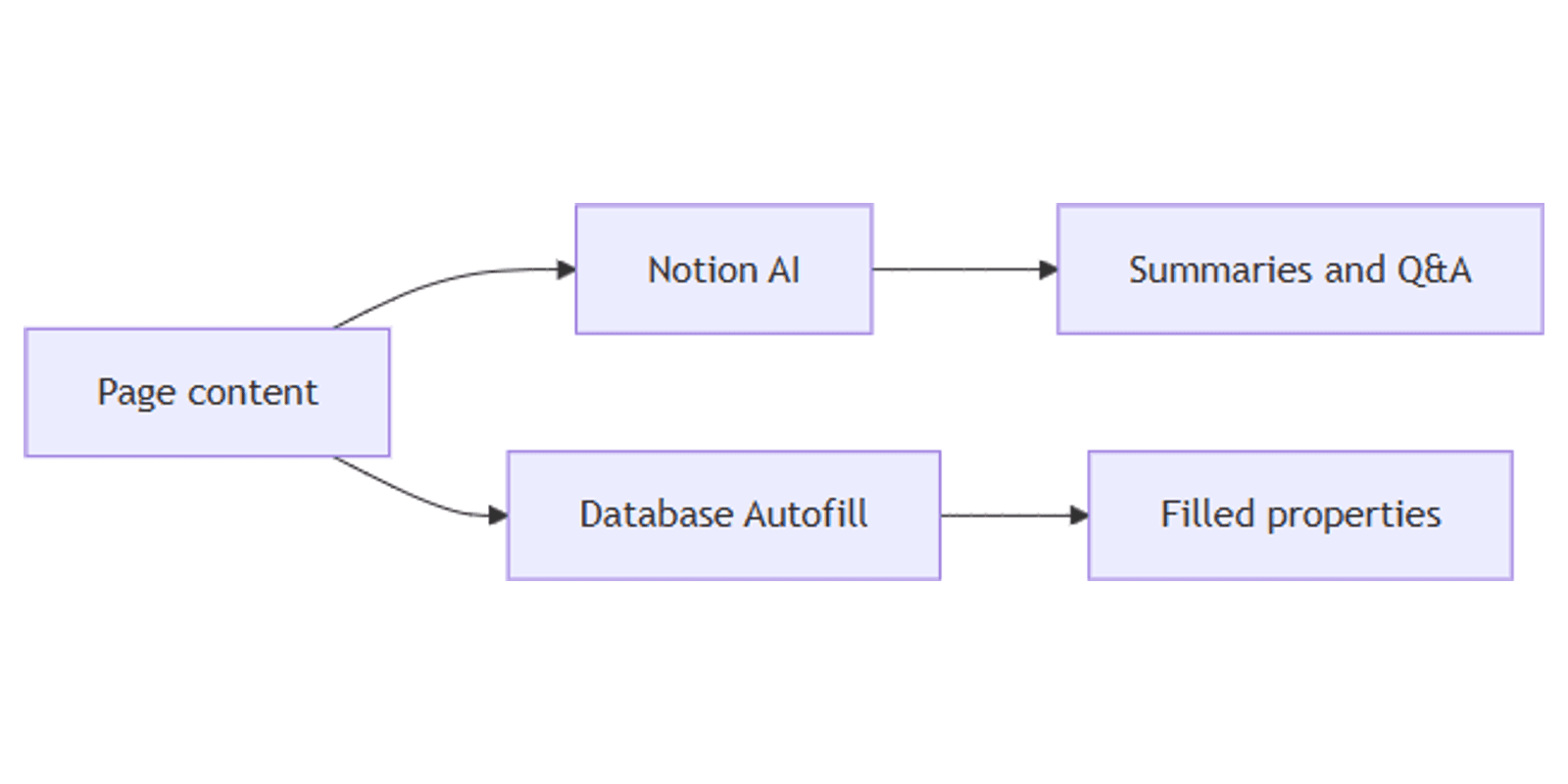
Notion AI answers questions about your pages, drafts summaries and edits, and can autofill database properties from page content. Ideal when you already keep notes and tasks in Notion and want faster triage without leaving the workspace.
This guide covers page Q&A and summaries, AI Autofill for databases, and plan / add-on limits that change over time. Official details: What is Notion AI? FAQs and Notion AI autofill for databases. Search notion.com/help for the latest Notion AI articles when UI labels shift.
What Notion AI can do on a page
On a page you can ask Notion AI to summarize, rewrite, brainstorm, or answer questions about the content you can access. Common entry points:
| Entry | Typical use |
|---|---|
| Notion AI / Agent chat | Q&A across the page or broader workspace context you can see |
| Inline AI (Space / highlight) | Summarize, shorten, expand, translate, or edit selected text |
AI block (/AI Block) | Persistent summary or custom output that you can regenerate |
Translate (page •••) | Translate the page into another language |
Treat answers as drafts - verify facts against the source page, especially for deadlines, names, and numbers (Notion Help).
Summarize a page
Inline summary
- Open the page you want summarized.
- Press Space on a new line, or highlight a section and open Notion AI.
- Ask for a short summary, key points, or action items.
- Accept, discard, or ask Notion AI to try again.
AI summary block
- Type
/AI Blockon the page. - Choose a summary / key points style, or write a custom prompt.
- Optionally narrow Specified context and search sources if your plan supports them.
- Click Generate, then refresh later when the page changes.
A summary at the top of long docs helps teammates skim before they dive in. Pair summaries with search when you need to find the source page again later.
Autofill database properties
AI Autofill fills a property from the content of each database row/page - summaries, tags, translations, key info, or a custom prompt (Notion Help).
| Autofill style | Best for | Notes (hedge) |
|---|---|---|
| Basic Autofill | Summaries, simple tagging, translation, key info from the page | Notion documents Basic Autofill on Business and Enterprise; it does not use Notion credits |
| Custom Agent Autofill | Multi-step instructions, richer context, optional workspace / web search | Uses Notion credits; availability and pricing change - check current help |
How to add Autofill
- Open your database → Properties → + New property (or edit an existing property).
- Choose an AI Autofill option (summary, key info, custom, or the current Autofill menu label).
- Set the prompt or preset (for example: “Summarize in one sentence”).
- Choose when it runs if offered (manual, on create, on edit, schedule - labels vary).
- Save, then open a few rows to spot-check the output.
Basic Autofill uses content in that row/page, not your entire workspace. If you need workspace or web search in the fill, Notion points you to Custom Agent Autofill with search enabled (Notion Help).
Good Autofill targets
| Property goal | Tip |
|---|---|
| Summary column | Keep prompts short so table views stay scannable - store output in a Text field |
| Tags / category | Prefer a fixed option list when possible; Autofill drafts still need human review |
| Extracted dates / owners | Confirm against the body before relying on filters |
| Formulas | After Autofill fills text fields, use Formulas 2.0 for derived logic Notion AI should not invent |
Intake that is not already on a page can land via Notion forms; Autofill then summarizes or tags each submitted row.
Plans, add-ons, and quotas (hedge)
Notion AI availability depends on plan, complimentary trial responses, Business / Enterprise inclusion, and sometimes credits for agent-style features. Free and Plus users may get limited complimentary AI responses; fuller Notion AI is documented for Business and Enterprise (Notion Help).
Do not treat any quota number in a third-party guide as permanent. Limits, credit pricing, and which Autofill mode is included can change. Confirm in:
- Notion AI FAQs
- Autofill help
- Credits for Custom Agents
- Workspace Settings → Notion AI
If usage is paused, wait for the allowance to refresh, or follow Notion’s current credit / plan upgrade path for your workspace.
Practical workflow
- Capture notes or form responses into a database (Forms).
- Add a Summary Autofill property for skimmable table and board views.
- Keep raw notes in a Text field humans edit.
- Use Formulas 2.0 for status rolls and due-date logic.
- Find pages later with search; ask Notion AI only when you need synthesis.
Works with the Social Media Multi-Platform Content Planner when AI summaries help triage clipped briefs before scheduling.
Tips
- Prompt for length - “two sentences” beats an essay in a database cell.
- Review Autofill before automation - wrong tags poison filters.
- Do not Autofill secrets you would not share with anyone who can see the property.
- Prefer Basic for simple fills when it is included - save credits for agent-style work.
- Cite the source page when you paste AI answers into external docs.
FAQ
Can Notion AI summarize a page?
Yes - use inline AI, an AI block, or chat/Agent prompts. Always verify the summary against the page (Notion Help).
What is database Autofill?
An AI-powered property that fills values (summary, key info, custom prompts, and more) from each row’s page content. See Autofill.
Does Autofill use credits?
Basic Autofill is documented as included on Business and Enterprise and not using Notion credits. Custom Agent Autofill uses credits. Confirm current rules in Notion’s help center.
Is Notion AI the same on every plan?
No. Complimentary responses, Business/Enterprise inclusion, and credit-based agent features differ. Check Notion AI FAQs for your workspace.
Conclusion
Notion AI speeds page Q&A and summaries, and Autofill can keep database properties current when your plan supports it. Start with short summary prompts, spot-check outputs, and hedge any quota assumptions against official Notion AI help. Pair Autofill with Text properties, Formulas 2.0, forms, and search.
For a broader template set, see the Notion Templates Bundle.
Notion Templates
Start Selling Notion Templates - Start Now!