Notion Home and My Tasks: See Your Work in One Place
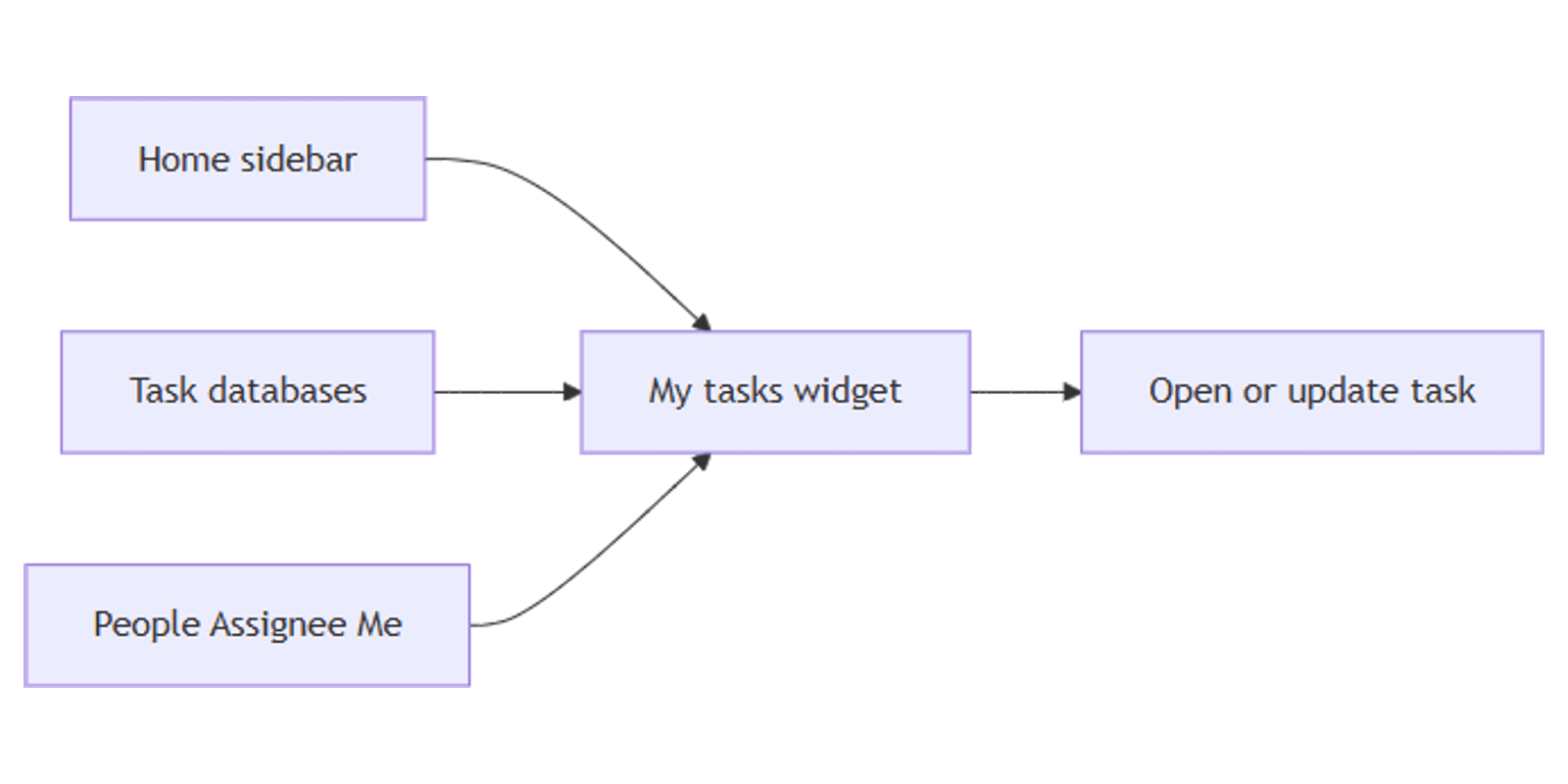
Notion Home is your personal launchpad in the sidebar - recents, favorites, and the work that needs you. My tasks sits inside Home and pulls every task assigned to you from connected Task databases into one place, so you stop hopping between project boards.
This guide covers how Home and My tasks work together, how Task databases connect via a People Me filter, and how to customize the widget. Official details: Home and My tasks and Task databases.
What is Notion Home?
Home appears in the sidebar. It surfaces pages and widgets tailored to you - upcoming work, recents, favorites, and more - without replacing your teamspaces or private pages.
| Area | Role |
|---|---|
| Home (sidebar) | Personal launchpad for what needs attention |
| My tasks | Aggregated view of tasks assigned to you |
| Inbox | Mentions, comments, and update alerts |
Home is for orientation. Inbox is for notifications. My tasks is for owned work.
What is My tasks?
My tasks shows tasks assigned to you from Task databases in the workspace. By default you see incomplete items where you are the assignee. Changes in the source databases sync into the widget in real time (Notion Help).
| Requirement | Why it matters |
|---|---|
| Task database | Only Task-type databases feed My tasks |
| Status | Tracks open vs done |
| Assignee (People) | Defines who owns the row |
| Due date | Supports deadlines and sorting |
You can connect up to 10 Task databases as sources for My tasks.
How Task databases connect to My tasks
A regular database must become a Task database before its rows appear in My tasks:
- Open the database.
- Confirm it has Status, Assignee (People), and Due date.
- Open database settings and Turn into Tasks (wording may vary slightly by client).
- Assign yourself on rows that should appear under Me.
My tasks filters for Assignee = Me - the People property is the connection, not a free-text name. See People property for assignment and notification behavior.
Keep shared task databases consolidated. Prefer one or a few Task databases with filtered views per project instead of dozens of tiny boards (Notion guide).
How to use My tasks in Home
- Click Home in the sidebar.
- Scroll to the My tasks widget.
- Review tasks assigned to you across connected sources.
- Click a task to open it, update Status, due date, or assignee.
- Click New task, pick a destination Task database, and fill in the row.
Customize sources and layout
- Open Settings on the My tasks widget (or Configure under Customize My Tasks).
- Under Task sources / data sources, select up to 10 Task databases.
- Adjust layout, filters, sorts, and which properties appear.
- Optional: Open as full page for a larger board or list - useful with board view habits from your source databases.
Default filters usually hide completed work and show only Me. You can change filters to review team load, due-this-week slices, or a single source database - the same ideas as database filtering, applied inside the widget.
Hide or focus
- Hover My tasks → ••• → Hide from home if you do not want the widget.
- Open as full page, then favorite that page if you want My tasks in your sidebar favorites.
When someone assigns you via People, you may also see an Inbox alert - My tasks is the ongoing work list; Inbox is the nudge.
My tasks vs filtered boards
| Approach | Best for |
|---|---|
| My tasks (Home) | Personal cross-database “what’s mine” |
| Board view on one DB | Team pipeline in a single database |
| Database filtering | Saved views per project, client, or status |
Use My tasks for your queue across sources. Use board views and filters inside each database for team standups and project pages.
Works with the Notion Templates Bundle when your task and project templates already include Status, Assignee, and Due date.
FAQ
Why don’t my tasks show in My tasks?
The database must be a Task database with Status, Assignee, and Due date, and it must be selected as a source (max 10). You must be assigned on the People field.
Can My tasks pull from every database?
No - only Task databases, up to 10 sources. Turn sources into Task databases first (Notion Help).
Is My tasks the same as Inbox?
No. Inbox is notifications (mentions, comments, updates). My tasks is your assigned work list. See Inbox and notifications.
Can I change the Me filter?
Yes. Customize filters in My tasks settings - for example to include teammates or a date range. The default Me filter depends on the People assignee property.
Conclusion
Notion Home gives you a personal starting point; My tasks aggregates assigned work from connected Task databases using Status, Due date, and a People Me filter. Configure up to 10 sources, open as a full page when you need space, and keep project pipelines in board views with solid filtering.
Pair daily triage with Inbox so assignments and comments do not get lost. For a broader template set, see the Notion Templates Bundle.
Notion Templates
Start Selling Notion Templates - Start Now!