How to Create Menus and Price Lists in Canva
Canva menus and price lists are print-first pieces for restaurants, cafes, bars, and pop-ups: fixed paper sizes, clear sections, consistent branding, and a PDF Print file for the shop. A good menu reads at arm’s length - unlike a dense brochure story or a single offer flyer.
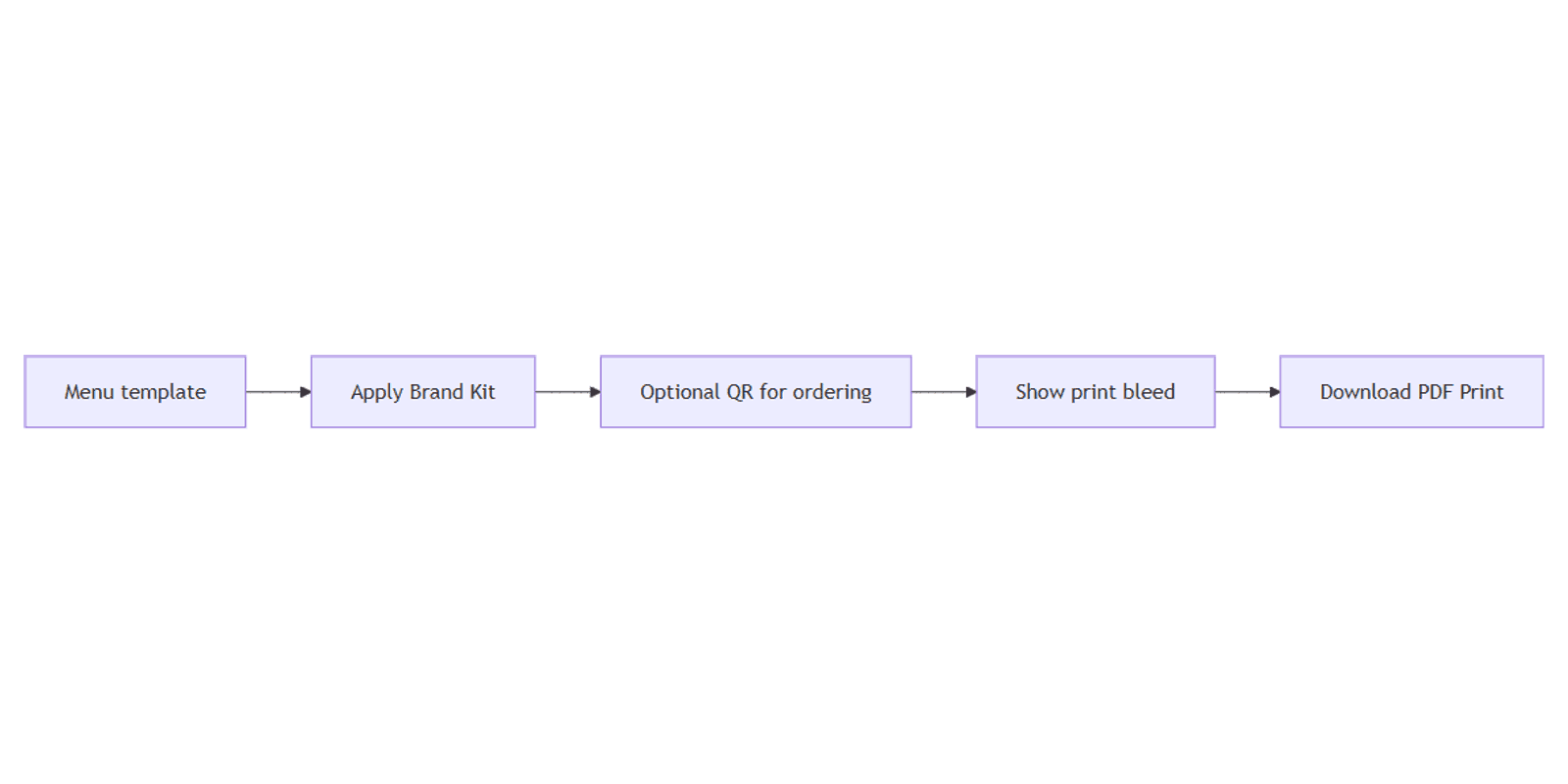
This guide covers menu templates and sizes, Brand Kit, PDF Print, and adding a QR code for digital ordering. Official help: Margins, bleed, and crop marks, Download file types, and Create QR codes.
Menu templates and print sizes
- Open Canva.
- Click Create a design and search Menu, Restaurant menu, or Price list.
- Choose a template that matches your fold or page count - or set Custom size.
- Replace categories, item names, descriptions, prices, and allergen notes.
- Rename the design for seasonal versions (Spring lunch, Happy hour, etc.).
| Size / format | Typical use |
|---|---|
| US Letter / A4 | Full-page table menus |
| Half letter / A5 | Compact cafe cards, insert menus |
| Bi-fold / multi-page | Longer lists - treat like a light brochure |
| Digital screen size | In-store displays (export PNG/MP4 separately from print PDF) |
Confirm finished trim and folds with your printer before you lock typography.
Structure a readable menu
| Section | Job |
|---|---|
| Header | Brand name + meal period (Breakfast, Dinner) |
| Categories | Starters, mains, drinks - one job each |
| Items | Name, short descriptor, price aligned |
| Footer | Allergens, hours, social, QR |
- Keep one type scale: category → item → price.
- Avoid packing every special into the first viewport of a multi-page menu.
- Leave quiet space between categories so prices do not collide.
- Update prices in one master file; duplicate the design for seasonal variants.
Apply Brand Kit
Use Brand Kit so menus match signage and flyers:
- Open Brand or Brand Kit.
- Apply colors, fonts, and the correct logo variant.
- Check contrast on kraft or dark paper - light gray prices fail in print.
- Keep photo treatments consistent if you show plated dishes.
Preview table setups with Canva frame mockups when pitching a redesign.
Show print bleed and safe margins
- Turn on Show print bleed.
- Extend backgrounds past the trim on every page.
- Keep item names, prices, and QR codes inside the safe margin - and away from fold lines on bi-folds.
- Follow about 0.125 in / 3.175 mm bleed on many Canva trim products (Canva Help).
Add a QR code for ordering
A QR code on the menu can open the online order page, allergen PDF, or reservations link:
- Open Apps → QR Code.
- Paste a stable
https://URL. - Place the code large enough to scan, high contrast, inside the safe margin.
- Re-test the URL whenever you reprint a season.
Do not bury the code in busy food photography. See How to Create QR Codes in Canva.
Download PDF Print
- Click Share → Download.
- Choose PDF Print (aimed at 300 dpi).
- Tick Crop marks and bleed when required.
- Export all pages in order for multi-page menus.
- Proofread prices on paper - screen zoom hides alignment issues.
| Format | Best for |
|---|---|
| PDF Print | Print shops, laminated menus, Canva Print |
| PDF Standard | Screen proofs only |
Menu vs flyer vs brochure
| Design | Best for |
|---|---|
| Menu / price list | Ordered categories and prices for the table |
| Flyer | One promo (brunch special, opening night) |
| Brochure | Multi-panel brand or catering story |
Reuse Brand Kit across all three; keep the daily menu file separate from campaign flyers so price updates stay fast.
Launch and reprint dates fit the Social Media Multi-Platform Content Planner.
FAQ
What size should a restaurant menu be in Canva?
Match what your printer laminates or folds - often Letter/A4 full page or A5 cards. Confirm before you design.
Can I put a QR code on a Canva menu?
Yes - use the QR Code app with a stable URL, then keep the code inside the safe margin for print.
PDF Print or PNG for menus?
PDF Print for paper and lamination. PNG is for digital boards or mockups, not shop handoff.
Menu or brochure for catering packages?
Table dining → menu. Multi-section catering pitch → brochure. Promo insert → flyer.
Conclusion
To create menus and price lists in Canva, pick the right print size, structure clear categories, apply Brand Kit, show bleed, and download PDF Print. Add a QR code for ordering when useful. Pair seasonal promos with flyers and longer brand pieces with brochures.
Canva Templates
Start Selling Canva Templates - Start Now!